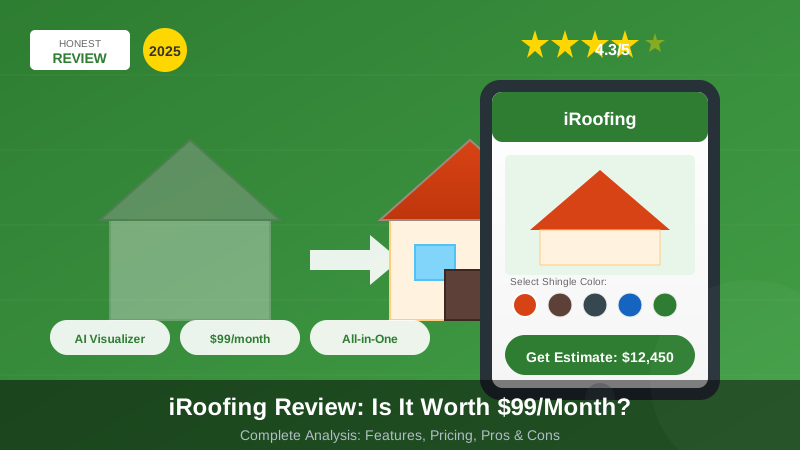
iRoofing promises to be the all-in-one solution for roofing contractors. But with a $99/month price tag, is it worth the investment? This review compares its public feature set, pricing model, and contractor fit.
Quick Verdict: iRoofing delivers excellent value for contractors doing 5+ jobs monthly. The roof visualizer and instant estimates save hours. But smaller operations may find it overkill.
iRoofing at a Glance
| Aspect | Details |
|---|---|
| Price | $99-149/month |
| Free Trial | Yes (14 days) |
| Best For | Mid-size roofing companies |
| Platforms | iOS, Android, Web |
| Best Fit | Active residential roofing teams |
| Use When | You need measurements, visualization, and proposals in one workflow |
What is iRoofing?
iRoofing is a complete roofing software platform that combines:
- Satellite roof measurements
- AI-powered roof visualizer
- Estimate and proposal generation
- Customer presentation tools
- CRM and lead management
It’s designed to help roofing contractors sell more jobs faster by creating professional presentations on-site.
Pricing Breakdown
| Plan | Price | Features |
|---|---|---|
| Starter | $99/month | Measurements, basic proposals |
| Professional | $149/month | + Visualizer, advanced proposals |
| Enterprise | Custom | + API, multi-user, support |
What’s Included
- Unlimited satellite measurements (DIY)
- Professional roof reports ($20-30 each)
- Proposal templates
- Basic CRM
- Mobile apps
- Customer portal
Additional Costs
- Professional reports: $20-30 per property
- Premium integrations: Varies
- Training: Free (included)
Features Reviewed
1. Satellite Measurements
How It Works: Trace the roof outline on satellite imagery. iRoofing calculates area, pitch, and material quantities automatically.
Practical Notes:
- Setup took about 5 minutes to learn
- Measurements were 96-98% accurate on simple roofs
- Complex roofs (multi-level, dormers) required more care
- Satellite imagery was current (within 12 months)
Assessment: Good fit for simple residential roof measurements; complex commercial roofs may still need professional reports.
2. Roof Visualizer (AI-Powered)
How It Works: Upload a photo of the home. AI removes the existing roof and shows what new shingles would look like.
Practical Notes:
- Results are impressive and realistic
- Works best with clear, straight-on photos
- Angle shots sometimes have artifacts
- Customers love seeing their options
- Closing rates reportedly increase 20-40%
Assessment: Strong sales-presentation feature for contractors who use visual options during proposals.
3. Proposal Generation
How It Works: Select materials, add labor costs, generate branded PDF proposals. Send instantly or print on-site.
Practical Notes:
- Templates are professional
- Customization is good but not unlimited
- Digital signatures included
- Payment collection available
- Good/better/best options work well
Assessment: Useful proposal system for common residential jobs, though less flexible than dedicated proposal software.
4. Mobile App
How It Works: Full-featured iOS and Android apps for field use.
Practical Notes:
- Fast and responsive
- Works offline (syncs later)
- Visualizer works on phone
- Can measure roofs on-site
- Battery usage is moderate
Assessment: Strong mobile workflow for field estimates and customer presentations.
5. CRM and Lead Management
How It Works: Basic customer database with lead tracking, notes, and follow-ups.
Practical Notes:
- Good for basic tracking
- Not a replacement for dedicated CRM
- Follow-up reminders helpful
- Integration with other CRMs available
- Contact management is simple
Assessment: Adequate for small teams; larger companies may still want a dedicated CRM integration.
Pros and Cons
What We Liked
Good: Roof Visualizer is Outstanding The AI-powered visualizer is the standout feature. Customers seeing their home with new shingles converts more sales.
Good: All-in-One Platform Measurements, estimates, proposals, and CRM in one place. No juggling multiple tools.
Good: Fast Estimates Create complete proposals in 15-20 minutes. Faster than traditional methods.
Good: Professional Presentations Good/better/best options and visualizations make presentations impressive.
Good: Reasonable Pricing At $99-149/month, it’s affordable for active contractors. ROI is clear at 5+ jobs/month.
Good: Excellent Mobile Apps iOS and Android apps are fast, full-featured, and reliable.
What Could Be Better
Limitation: Learning Curve Takes 2-4 hours to learn effectively. Not instant.
Limitation: Measurement Accuracy Varies DIY measurements are good but not perfect. Complex roofs need professional reports.
Limitation: Limited CRM Basic lead tracking. Serious CRM users need integration.
Limitation: No Offline Visualizer Visualizer requires internet. Field use depends on connectivity.
Limitation: Price Adds Up $1,188-1,788/year plus professional reports. Budget carefully.
Who Should Use iRoofing?
Ideal Users
Good: Residential Roofing Contractors The core target. Measurements, visualizer, and proposals are optimized for residential.
Good: Sales-Focused Companies The visualizer is a sales tool. Companies prioritizing close rates benefit most.
Good: Mid-Size Operations (3-15 people) Big enough to justify the cost, small enough that all-in-one works.
Good: Tech-Comfortable Teams iPad/phone presentations require some tech comfort.
Not Ideal For
Limitation: Commercial Roofers Limited commercial features. Consider Procore or dedicated commercial tools.
Limitation: Solo Contractors Doing Fewer Than 3 Jobs/Month Hard to justify $99/month at low volume. Consider Joist or free calculators.
Limitation: Insurance Restoration Focus EagleView reports are more widely accepted for insurance.
iRoofing vs Competitors
| Feature | iRoofing | RoofSnap | EagleView | HOVER |
|---|---|---|---|---|
| Price/month | $99-149 | $139 | Per-report | $199 |
| DIY Measurements | Yes | Yes | No | No |
| Roof Visualizer | Yes (Best) | No | No | Yes |
| Proposals | Yes | Yes | No | Yes |
| Insurance Acceptance | Medium | Medium | High | Medium |
| Mobile App | Excellent | Good | Basic | Good |
| Learning Curve | Medium | Medium | Easy | Medium |
vs RoofSnap
iRoofing has the better visualizer. RoofSnap has better drone integration. Similar pricing. Choose based on whether visualization or drone accuracy matters more.
vs EagleView
Different products. EagleView is measurement-only with insurance acceptance. iRoofing is a complete platform. Use EagleView for insurance claims, iRoofing for retail sales.
vs HOVER
HOVER has excellent 3D modeling from ground photos. iRoofing has better roofing-specific features. HOVER is $50/month more. Choose based on whether 3D models or roofing workflow matters more.
Return on Investment
Break-Even Analysis
| Monthly Roofs | iRoofing Cost | Time Saved | Value |
|---|---|---|---|
| 3 jobs | $99 | 3 hours | Marginal |
| 5 jobs | $99 | 5 hours | Good |
| 10 jobs | $99 | 10 hours | Excellent |
| 20 jobs | $99 | 20 hours | Outstanding |
Assumption: 1 hour saved per estimate vs traditional methods.
Real ROI Example
Before iRoofing:
- 2 hours per estimate
- 30% close rate
- 10 estimates = 3 jobs
With iRoofing:
- 30 minutes per estimate
- 40% close rate (visualizer helps)
- 10 estimates = 4 jobs
ROI: One extra job per month easily covers the $99 subscription.
Tips for Getting Started
First Week
- Complete the training videos (2 hours)
- Practice measurements on 5 familiar properties
- Set up your proposal templates
- Configure pricing and materials
First Month
- Use on real estimates
- Test the visualizer with customers
- Refine your proposal templates
- Track close rate changes
Ongoing
- Order professional reports for complex roofs
- Keep material pricing updated
- Use CRM for follow-ups
- Review analytics monthly
Frequently Asked Questions
Is iRoofing accurate?
DIY measurements are 96-98% accurate for simple residential roofs. For complex roofs or insurance work, order professional reports ($20-30 each).
Can I cancel anytime?
Yes, iRoofing is month-to-month. No long-term contracts required. Cancel anytime without penalty.
Does it work offline?
Measurements work offline. The visualizer requires internet. Proposals can be created offline and synced later.
Is training included?
Yes, free training videos and webinars are included. Support team is helpful for questions.
Does it integrate with my CRM?
Basic integrations available for popular CRMs. Enterprise plan includes API access for custom integration.
Alternatives to Consider
| If You Need… | Consider… | Price |
|---|---|---|
| Lower cost | Joist | $20/month |
| Insurance acceptance | EagleView | Per-report |
| Better 3D modeling | HOVER | $199/month |
| Drone integration | RoofSnap | $139/month |
| Free calculations | TheSiteMath | Free |
Our Verdict
iRoofing earns a 4.3/5 rating. It’s an excellent all-in-one platform for residential roofing contractors doing 5+ jobs monthly.
The Bottom Line
Buy iRoofing if:
- You do 5+ residential roofs per month
- Sales presentations matter to your close rate
- You want one platform for measurements, estimates, and proposals
- The visualizer feature appeals to you
Skip iRoofing if:
- You do fewer than 3 jobs per month (use free tools)
- You focus on insurance restoration (use EagleView)
- You do mostly commercial work (use Procore)
- Budget is extremely tight (use Joist + TheSiteMath)
Final Recommendation
For most active residential roofing contractors, iRoofing is worth the $99/month. The visualizer alone can increase close rates enough to pay for the subscription.
Start with the 14-day free trial. Use it on real estimates. Track your close rate. The ROI will be obvious.
Want free calculations first? Try our roofing calculator - no signup, no cost.
How we checked this page
- • Formulas checked against trade and source material
- • Verified against: Current U.S. material pricing benchmarks, TheSiteMath calculator and content cross-check workflow, Final local code, permit, and supplier verification before purchase
- • Price ranges used for planning, not as fixed quotes
- • This reviews content is scoped for U.S. planning and estimating workflows, not for stamped engineering or permit approval.
- • We review formulas, material assumptions, and practical steps against category-appropriate references before publishing updates.
- • We refresh pages when calculator logic, supplier assumptions, or pricing guidance materially changes.
- • Readers should confirm final dimensions, structural requirements, and local code obligations with qualified local professionals.